
Source: Roblox Creator Hub · CC BY 4.0 · View source · Code samples: MIT Imported 2026-10-03. Formatting adapted for this site.
HighlightDepthMode
Controls how the Highlight effect displays with respect to other objects in the world.
Items
| Name | Value | Description |
|---|---|---|
| AlwaysOnTop | 0 | Allows the Highlight to display regardless if there are objects between the camera and the highlighted object. This means the viewer is always able to see the highlight regardless of what is between the highlighted object and the camera. 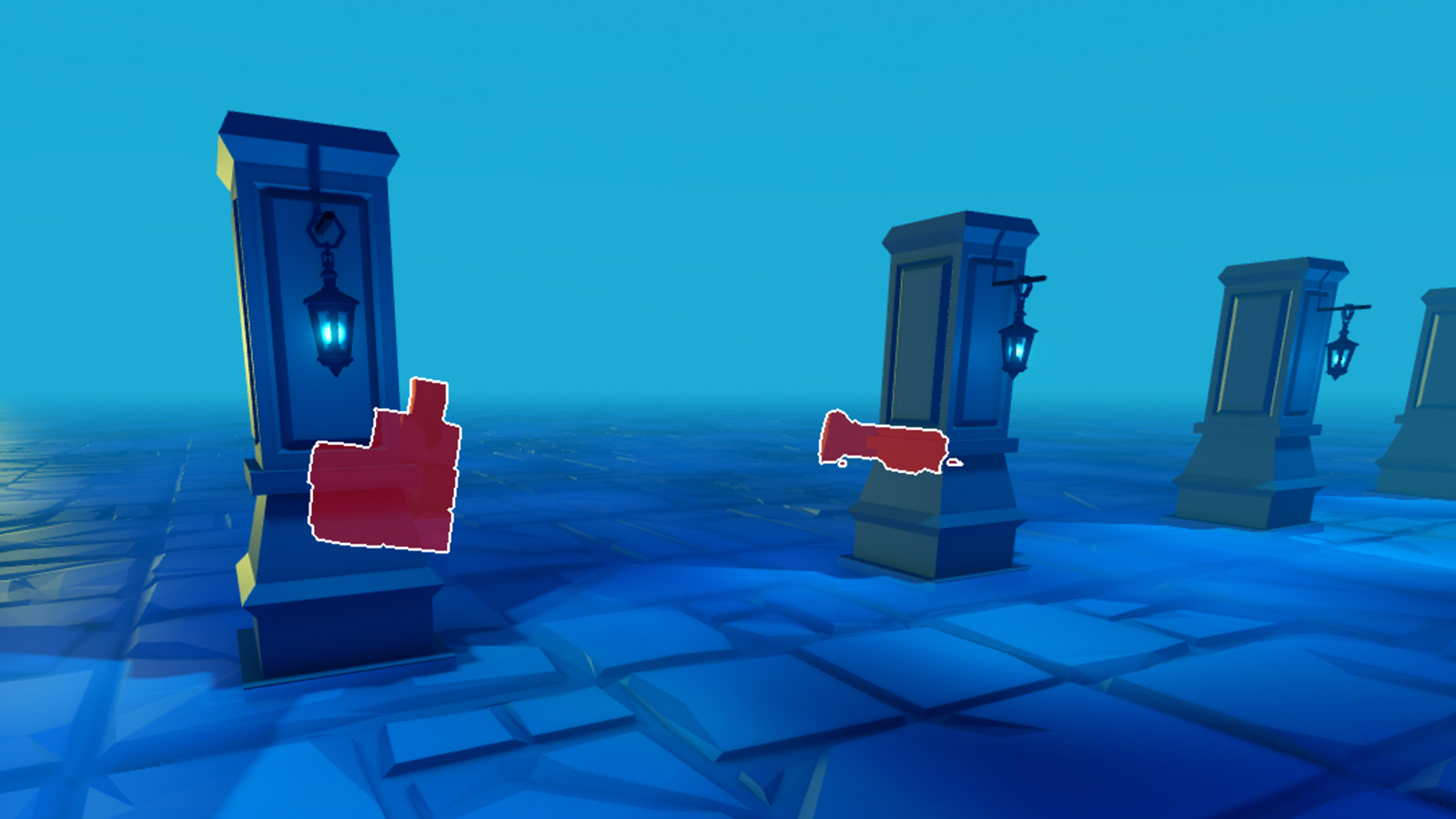 |
| Occluded | 1 | Hides the Highlight if there are objects between the camera and the highlighted object. This means the viewer is only able to see the object if there are no obstructing objects between the highlighted object and the camera's view.  |
AlwaysOnTop
Allows the Highlight to display regardless if there are objects between the camera and the highlighted object. This means the viewer is always able to see the highlight regardless of what is between the highlighted object and the camera.
| Field | Value |
|---|---|
| value | 0 |
Occluded
Hides the Highlight if there are objects between the camera and the highlighted object. This means the viewer is only able to see the object if there are no obstructing objects between the highlighted object and the camera's view.
| Field | Value |
|---|---|
| value | 1 |