
Source: Roblox Creator Hub · CC BY 4.0 · View source · Code samples: MIT Imported 2026-10-03. Formatting adapted for this site.
Creator Hub
You'll often use Creator Hub and Studio together when you're creating, like managing your creations, tracking analytics, requesting monetization payouts, and a host of other creator actions, all on the web.
Go to dashboard
Manage games, avatar items, and assets
The Creator Dashboard lets you manage and access all of your creations in one place.

Creations dashboard
Analyze and scale your creations
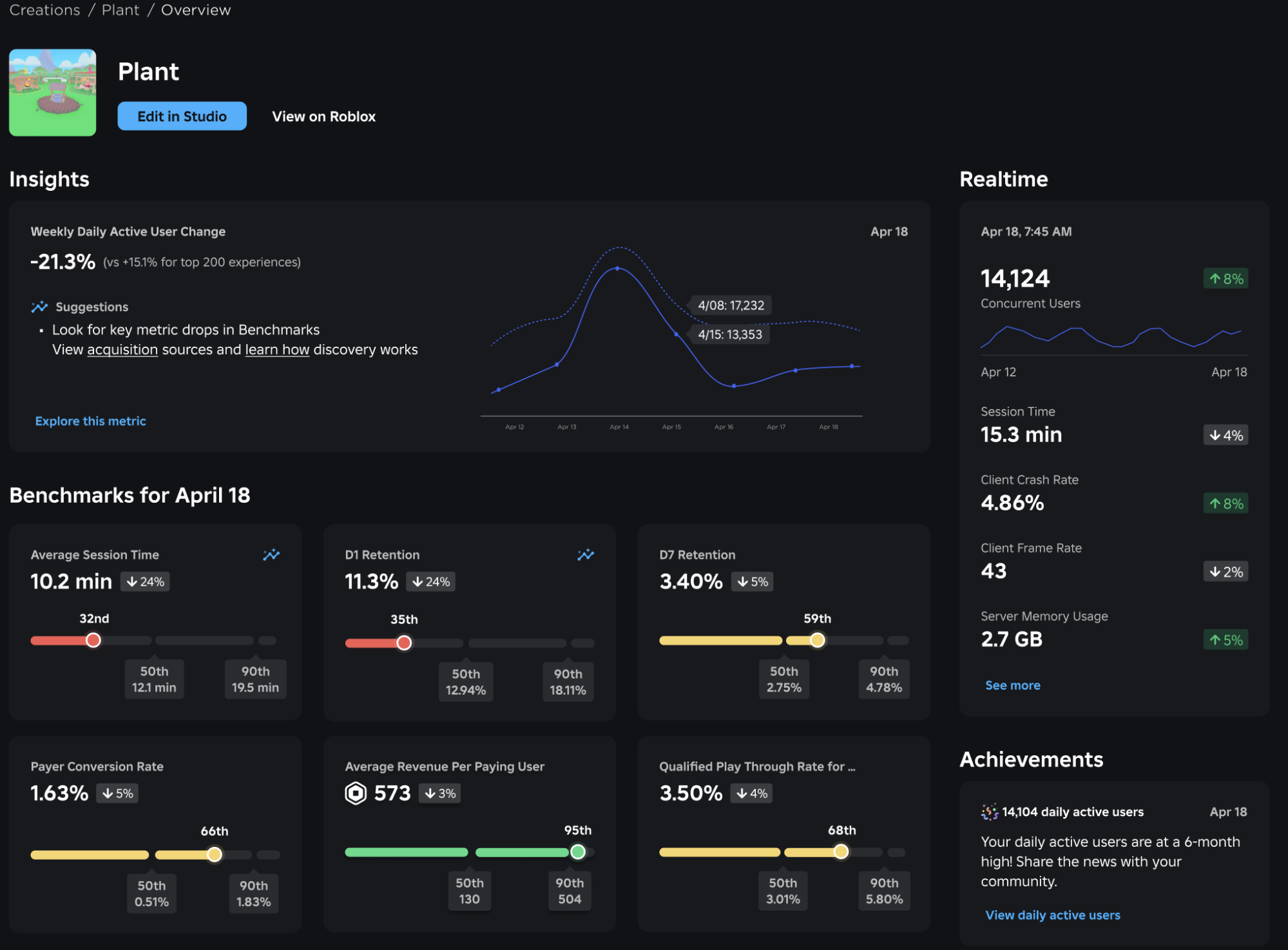
Access a variety of analytics features to help you chart your creations' growth, track user behavior and retention, and find opportunities for optimization. You can use analytics to understand what actions you can take to grow your game.
Guides
Analytics dashboard
Monetize your creations and track your finances
You can request a developer exchange payment, track Creator Store transactions, create ad campaigns, sponsor ads, and more.

Developer exchange
Creator transactions
Ads Manager
Sponsored Ads
Access other properties like the Creator Store, Forum, and the Creator Roadmap
The Creator Hub gives you quick access to other creator-related properties such as the Creator Store where you can publish, share, and discover assets. In the Forum, you can interact with the rest of the community. Finally, the Creator Roadmap outlines new features that we plan on shipping.

Creator Store
Forum
Roadmap