
Source: Roblox Creator Hub · CC BY 4.0 · View source · Code samples: MIT Imported 2026-10-03. Formatting adapted for this site.
include
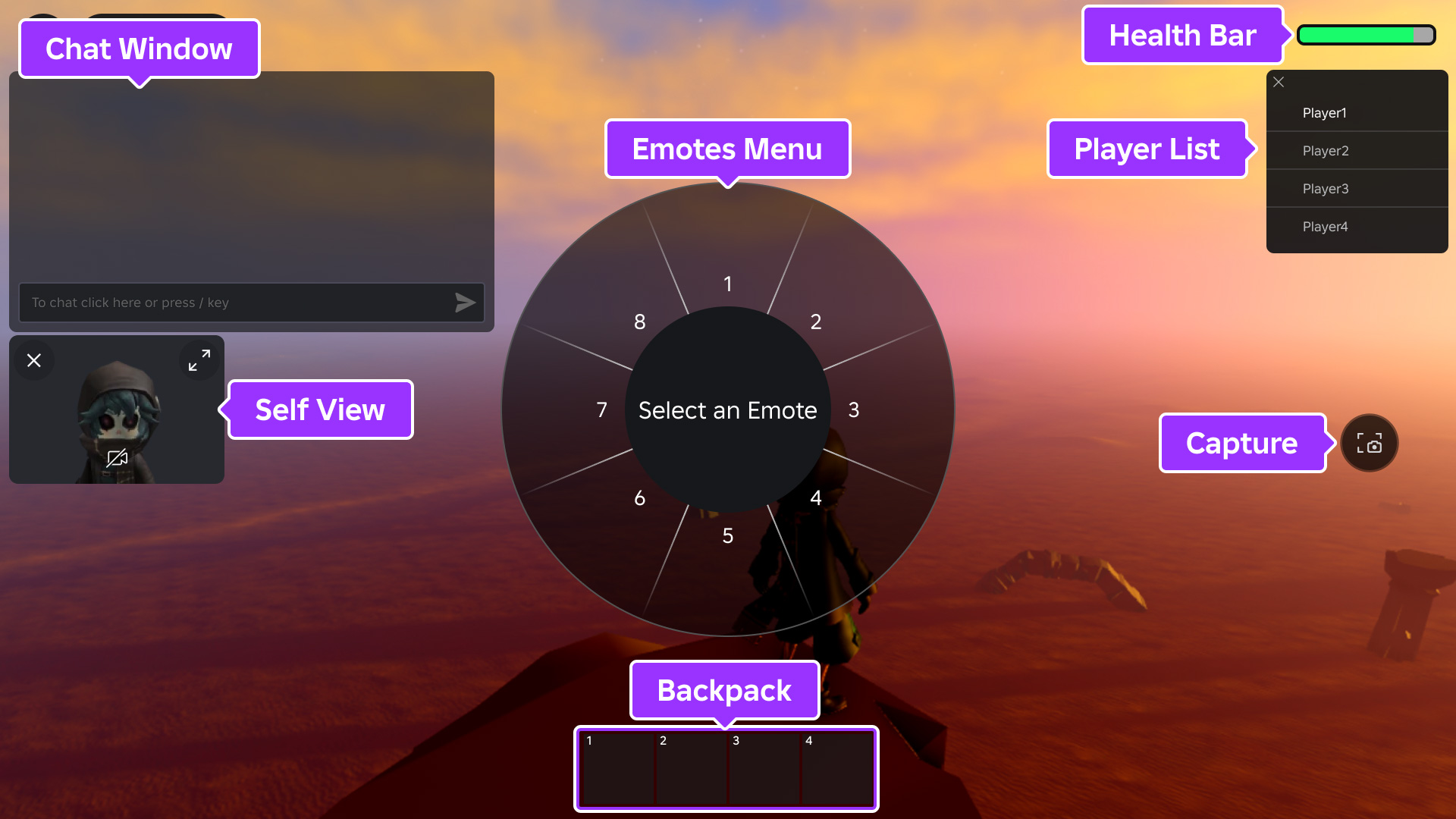
All Roblox games include several UI elements that are enabled by default. If you don't need any of these elements or if you want to replace them with your own creations, you can use the SetCoreGuiEnabled() method in a client‑side script with the associated CoreGuiType option.
| Default UI | Associated enum |
|---|---|
| Dynamically updated [`Players`](/docs/players) list, commonly used as a [leaderboard](/docs/roblox-players-leaderboards). | [`CoreGuiType.PlayerList`](/docs/enum-coreguitype#playerlist) |
| The character's [`Health`](/docs/humanoid#humanoid-health) bar. Does not appear if the character's [`Humanoid`](/docs/humanoid) is at full health. | [`CoreGuiType.Health`](/docs/enum-coreguitype#health) |
| The character's [`Backpack`](/docs/backpack) which contains [in-game tools](/docs/roblox-players-tools). Does not appear if there are no [`Tools`](/docs/tool) in the backpack. | [`CoreGuiType.Backpack`](/docs/enum-coreguitype#backpack) |
| The [text chat](/docs/roblox-chat-in-experience-text-chat) window. | [`CoreGuiType.Chat`](/docs/enum-coreguitype#chat) |
| Popup menu of character [emotes](/docs/roblox-characters-emotes). | [`CoreGuiType.EmotesMenu`](/docs/enum-coreguitype#emotesmenu) |
| A window displaying a player's perspective or view of their own character. Does not appear unless the player has enabled **Self View** from the Roblox menu. | [`CoreGuiType.SelfView`](/docs/enum-coreguitype#selfview) |
| A **capture screenshot** button along the right side of the screen. Does not appear unless the player has enabled **Captures** from the Roblox menu. | [`CoreGuiType.Captures`](/docs/enum-coreguitype#captures) |
| The **Avatar Switcher** allows users to change their platform avatar. | [`CoreGuiType.AvatarSwitcher`](/docs/enum-coreguitype#avatarswitcher) |
local StarterGui = game:GetService("StarterGui")

-- Disable default health bar and backpack
StarterGui:SetCoreGuiEnabled(Enum.CoreGuiType.Health, false)
StarterGui:SetCoreGuiEnabled(Enum.CoreGuiType.Backpack, false)
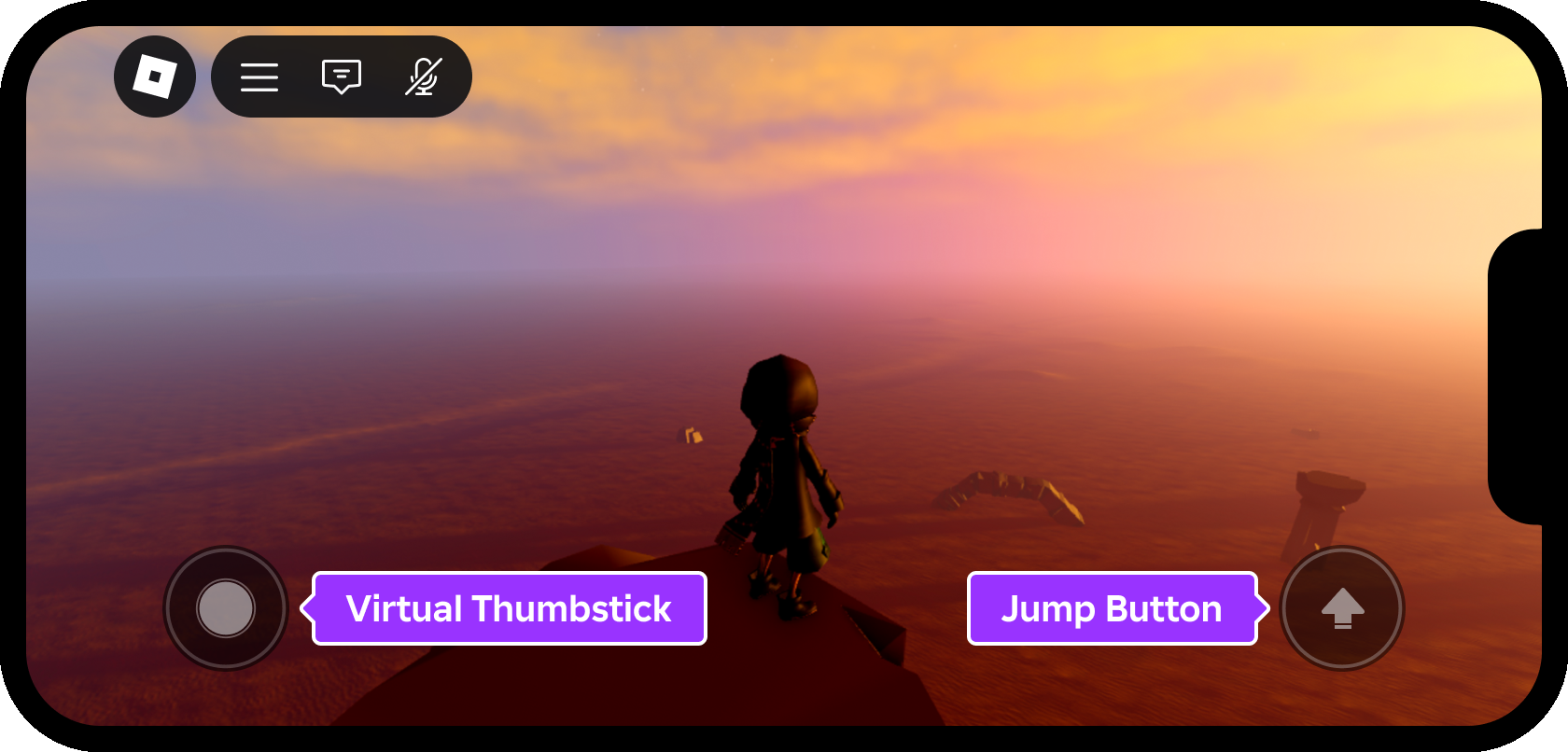
Additionally, devices with touch capabilities include a virtual thumbstick and a jump button by default. If desired, you can hide these elements by setting GuiService.TouchControlsEnabled to false in a client‑side script.
local GuiService = game:GetService("GuiService")

GuiService.TouchControlsEnabled = false