
Source: Roblox Creator Hub · CC BY 4.0 · View source · Code samples: MIT Imported 2026-10-03. Formatting adapted for this site.
Create with module scripts
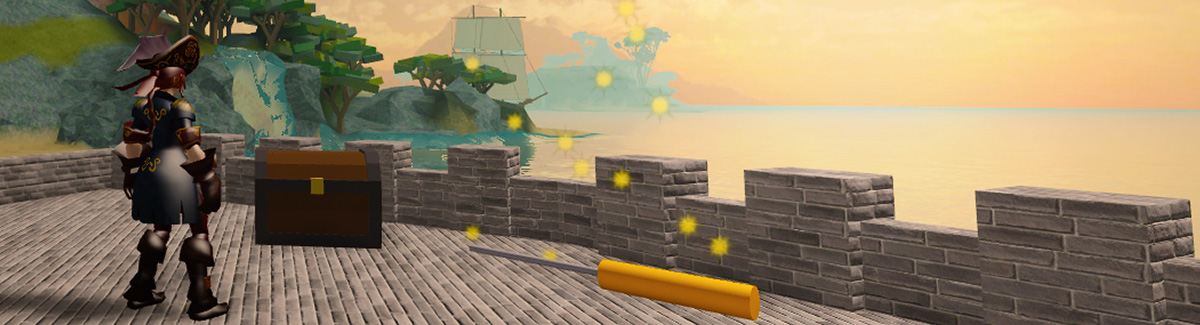
To apply your knowledge of module scripts, create a module script that allows players to pick up keys and use them to open treasure chests.
Project setup
This project includes a starter map with leaderboard and scripted pickup objects for the keys and treasure chests.
Load the starter project
Download the starter project.
DownloadIn Roblox Studio, open the downloaded file: Intro to Module Scripts - Starter Project.rbxl.

Create a module script
So players can get treasure from chests, create a module script named TreasureManager. Using a module script will connect the pickups and leaderboards together.
In ServerStorage, create a new ModuleScript and rename it TreasureManager.

In TreasureManager, rename the default module table by replacing
modulewithTreasureManagerin both places.local TreasureManager = {} return TreasureManager
Use functions in module scripts
To test how functions work in module scripts, create a new function named getKey(). When the getKey() function is called from another script, it'll receive a key part to destroy and add 1 to the number of keys in the player's inventory.
Create a module function for keys
This module script will use a combination of module and local functions, type two comments to help you keep them separated.
local TreasureManager = {}

------------------ Local Functions

------------------ Module Functions

return TreasureManager
Under the Module Functions comment, add a new module function to
TreasureManagernamedgetKey().Use two parameters:
keyPart- the part to destroy.whichCharacter- the player that touched the key part.
local TreasureManager = {}

------------------ Local Functions

------------------ Module Functions
function TreasureManager.getKey(keyPart, whichCharacter)

end

return TreasureManager
In
getKey(), destroykeyPart.function TreasureManager.getKey(keyPart, whichCharacter) keyPart:Destroy() end
Use the module function
Now, the module function getKey() can be used in other scripts. To test that function, you'll open a premade script and call it.
Open the key script in Workspace ⟩ Keys ⟩ KeyScript.
In keyScript, store the module script in a variable named
treasureManagerand set it equal to:require(ServerStorage:WaitForChild("TreasureManager"))local ServerStorage = game:GetService("ServerStorage") -- Require the module script below ⯆ local treasureManager = require(ServerStorage:WaitForChild("TreasureManager")) local keys = script.Parent local keysFolder = keys.Parts local keysArray = keysFolder:GetChildren()
Note
Prevent errors by using WaitForChild() instead of the dot operator to make the script wait until TreasureManager has loaded before moving on. For scripts in ServerScriptService or ServerStorage, it's safe to use the dot operator instead, like in ServerStorage.TreasureManager.
There's already a function named
partTouched()to check for a player touching the part. InsidepartTouched():- Call the
getKey()module function to destroy the key. - Pass in
keyPartandwhichCharacter.
local ServerStorage = game:GetService("ServerStorage") -- Require the module script below ⯆ local treasureManager = require(ServerStorage:WaitForChild("TreasureManager")) local keys = script.Parent local keysFolder = keys.Parts local keysArray = keysFolder:GetChildren() local function partTouched(otherPart, keyPart) local whichCharacter = otherPart.Parent local humanoid = whichCharacter:FindFirstChildWhichIsA("Humanoid") if humanoid then -- Give the player a key and destroy the key part -- ============================================= treasureManager.getKey(keyPart, whichCharacter) -- ============================================= end end- Call the
Run the project and check that touching a key destroys it.
Troubleshooting tips
Issue: Get an error message including: "Infinite yield possible".
- Check the spelling of your module script in a script. If a module script, like TreasureManager, is spelled differently, there will be an error.
Issue: Get an error message including: "attempt to index global".
- Check the line that includes the require for the module script in keyScript. If the module does not include require, it can't use functions and variables from that module script.
Issue: Script doesn't run or can't pick up keys.
In the module script, make sure that all the code is between
local TreasureManager = {}andreturn TreasureManager. The return must be the last line of code in a Module Script.Check that there are two parenthesis at the end of the line with require, like in
WaitForChild("TreasureManager")).
Create a Local Function
Right now, a leaderboard keeps track of a player's keys and treasure. To change the leaderboard numbers, use a local function in the module script. A local function is used because changing a player's key or treasure values will only be needed in the TreasureManager script, not anywhere else.
In ServerStorage, open the TreasureManager script.
Create local variables to do the following:
Get the Players service so the script can work with player's leaderboard stats.
Store the number of keys the player receives after touching keyPart.
local TreasureManager = {}
local Players = game:GetService("Players")
local keyDrop = 1

------------------ Local Functions

------------------ Module Functions
function TreasureManager.getKey(keyPart, whichCharacter)
    keyPart:Destroy()
end

return TreasureManager
Copy and paste these two local functions into the Local Functions section.
getPlayerKeys()returns the value of the player'sLockpicksleaderstat.getPlayerTreasure()returns the value of the player'sTreasureleaderstat.
------------------ Local Functions
local function getPlayerKeys(whichCharacter)
    local player = Players:GetPlayerFromCharacter(whichCharacter)
    local leaderstats = player:FindFirstChild("leaderstats")
    return leaderstats:WaitForChild("Lockpicks")
end
local function getPlayerTreasure(whichCharacter)
    local player = Players:GetPlayerFromCharacter(whichCharacter)
    local leaderstats = player:FindFirstChild("leaderstats")
    return leaderstats:WaitForChild("Treasure")
end
------------------ Module Functions
To add to the player's keys, in the
getKey()module function:Create a
localvariable to callgetPlayerKeys(whichCharacter).Add the value of
keyDroptoplayerKeys.
------------------ Module Functions
function TreasureManager.getKey(keyPart, whichCharacter)
    local playerKeys = getPlayerKeys(whichCharacter)
    playerKeys.Value = playerKeys.Value + keyDrop
    keyPart:Destroy()
end
Run the project. Check that touching a key destroys it and adds 1 to the player's keys in the leaderboard.

If needed, check your script against the one below for any troubleshooting issues.
local TreasureManager = {}
local Players = game:GetService("Players")
local keyDrop = 1

------------------ Local Functions
local function getPlayerKeys(whichCharacter)
   local player = Players:GetPlayerFromCharacter(whichCharacter)
   local leaderstats = player:FindFirstChild("leaderstats")
   return leaderstats:WaitForChild("Lockpicks")
end

local function getPlayerTreasure(whichCharacter)
   local player = Players:GetPlayerFromCharacter(whichCharacter)
   local leaderstats = player:FindFirstChild("leaderstats")
   return leaderstats:WaitForChild("Treasure")
end

------------------ Module Functions
function TreasureManager.getKey(keyPart, whichCharacter)
   local playerKeys = getPlayerKeys(whichCharacter)
   playerKeys.Value = playerKeys.Value + keyDrop
   keyPart:Destroy()
end

return TreasureManager
Get information from module scripts
The TreasureManager module script will be used when players touch a treasure chest to check if they have at least one key before opening it and giving them gold.
Check if chests can be opened
First in ServerStorage ⟩ TreasureManager script, set up variables for how many keys it costs to open a chest, and how much gold each chest contains.
local TreasureManager = {}

local Players = game:GetService("Players")
local keyDrop = 1
local chestPickCost = 1
local chestReward = 100

------------------ Local Functions
local function getPlayerKeys(whichCharacter)
    local player = Players:GetPlayerFromCharacter(whichCharacter)
    local leaderstats = player:FindFirstChild("leaderstats")
    return leaderstats:WaitForChild("Lockpicks")
end
To create a function that checks if a player can open a chest, in the Module Functions section, add a new function to the
TreasureManagertable namedcanOpenChest()with the parameterwhichCharacter.------------------ Module Functions function TreasureManager.canOpenChest(whichCharacter) end function TreasureManager.getKey(keyPart, whichCharacter) local playerKeys = getPlayerKeys(whichCharacter) playerKeys.Value = playerKeys.Value + keyDrop keyPart:Destroy() endCopy and paste the code below into
canOpenChest()to returntrueif the player has enough keys, andfalseif they don't.function TreasureManager.canOpenChest(whichCharacter) local playerKeys = getPlayerKeys(whichCharacter) if playerKeys.Value >= chestPickCost then return true else return false end end
Give players treasure
So the player can open a chest, create a function in TreasureManager that awards them treasure.
Add a new module function to
TreasureManagernamedopenChest().Pass in two arguments:
chestPart- the chest part to destroy.whichCharacter- the player to give treasure.
function TreasureManager.openChest(chestPart, whichCharacter) endTo subtract a player's keys and award them treasure, copy and paste the code below in
openChest(). This code uses the variables created previously, likechestReward, the amount of treasure given per chest.function TreasureManager.openChest(chestPart, whichCharacter) local playerKeys = getPlayerKeys(whichCharacter) local playerTreasure = getPlayerTreasure(whichCharacter) playerKeys.Value = playerKeys.Value - chestPickCost playerTreasure.Value = playerTreasure.Value + chestReward chestPart.Parent:Destroy() end
Call the chest functions
Now that the two module functions, canOpenChest() and openChest(), have been created, they can be called by the Chest parts whenever a player touches them using the premade partTouched() function.
In Workspace ⟩ Chests open ChestScript.
Create a new variable named
treasureManagerand require the TreasureManager module script in ServerStorage.local ServerStorage = game:GetService("ServerStorage") -- Require the module script below local treasureManager = require(ServerStorage:WaitForChild("TreasureManager")) local chests = script.Parent local chestsFolder = chests.Parts local chestsArray = chestsFolder:GetChildren()In
partTouched(), under theif humanoidstatement, create a new variable namedcanOpenand set it equal to:treasureManager.canOpenChest(whichCharacter)local function partTouched(otherPart, chestPart) local whichCharacter = otherPart.Parent local humanoid = whichCharacter:FindFirstChildWhichIsA("Humanoid") if humanoid then -- Check if the player can open a chest, then let them get treasure -- ============================================= local canOpen = treasureManager.canOpenChest(whichCharacter) -- ============================================= end endNext, create an if statement to check if
canOpenis true.If so, call the TreasureManager's
openChest()function.Then, pass in two parameters:
chestPart, the chest to destroy, andwhichCharacter, the player to award treasure.
local function partTouched(otherPart, chestPart) local whichCharacter = otherPart.Parent local humanoid = whichCharacter:FindFirstChildWhichIsA("Humanoid") if humanoid then -- Check if the player can open a chest, then let them get treasure -- ============================================= local canOpen = treasureManager.canOpenChest(whichCharacter) if canOpen == true then treasureManager.openChest(chestPart, whichCharacter) end -- ============================================= end endRun the project. Check that:
- If you have at least 1 key, touching a chest will destroys it and awards treasure.
- If you have 0 keys, you can't open a treasure chest.
Troubleshooting tips
In ChestScript, make sure that functions called from the module script like
canOpenChest()are spelled exactly how they're found in the TreasureManager script. Any difference will cause an error.Check that copy and pasted functions, like
treasureManager.openChest(), are exactly as shown in the lesson. Any differences can cause subtle errors in the script.
Finished scripts
local TreasureManager = {}
local Players = game:GetService("Players")
local keyDrop = 1
local chestPickCost = 1
local chestReward = 100
------------------ Local Functions
local function getPlayerKeys(whichCharacter)
local player = Players:GetPlayerFromCharacter(whichCharacter)
local leaderstats = player:FindFirstChild("leaderstats")
return leaderstats:WaitForChild("Lockpicks")
end
local function getPlayerTreasure(whichCharacter)
local player = Players:GetPlayerFromCharacter(whichCharacter)
local leaderstats = player:FindFirstChild("leaderstats")
return leaderstats:WaitForChild("Treasure")
end
------------------ Module Functions
function TreasureManager.openChest(chestPart, whichCharacter)
local playerKeys = getPlayerKeys(whichCharacter)
local playerTreasure = getPlayerTreasure(whichCharacter)
playerKeys.Value = playerKeys.Value - chestPickCost
playerTreasure.Value = playerTreasure.Value + chestReward
chestPart.Parent:Destroy()
end
function TreasureManager.canOpenChest(whichCharacter)
    local playerKeys = getPlayerKeys(whichCharacter)
    if playerKeys.Value >= chestPickCost then
        return true
    else
        return false
    end
end
function TreasureManager.getKey(keyPart, whichCharacter)
local playerKeys = getPlayerKeys(whichCharacter)
playerKeys.Value = playerKeys.Value + keyDrop
keyPart:Destroy()
end
return TreasureManagerlocal ServerStorage = game:GetService("ServerStorage")
-- Require the module script below ⯆
local treasureManager = require(ServerStorage:WaitForChild("TreasureManager"))
local chests = script.Parent
local chestsFolder = chests.Parts
local chestsArray = chestsFolder:GetChildren()
local function partTouched(otherPart, chestPart)
    local whichCharacter = otherPart.Parent
    local humanoid = whichCharacter:FindFirstChildWhichIsA("Humanoid")
    if humanoid then
        -- Check if the player can open a chest, then let them get treasure
        -- =============================================
        local canOpen = treasureManager.canOpenChest(whichCharacter)
        if canOpen == true then
            treasureManager.openChest(chestPart, whichCharacter)
        end
        -- =============================================
    end
end
-- Binds every chest part to the touch function so it works on all parts
for chestIndex = 1, #chestsArray do
local chestPart = chestsArray[chestIndex]:WaitForChild("Collider")
chestPart.Touched:Connect(function(otherPart)
partTouched(otherPart, chestPart)
end)
endlocal ServerStorage = game:GetService("ServerStorage")
-- Require the module script below ⯆
local treasureManager = require(ServerStorage:WaitForChild("TreasureManager"))
local keys = script.Parent
local keysFolder = keys.Parts
local keysArray = keysFolder:GetChildren()
local function partTouched(otherPart, keyPart)
local whichCharacter = otherPart.Parent
local humanoid = whichCharacter:FindFirstChildWhichIsA("Humanoid")
if humanoid then
-- Give the player a key and destroy the key part
-- =============================================
treasureManager.getKey(keyPart, whichCharacter)
-- =============================================
end
end
-- Binds every key part to the touch function so it works on all parts
for keyIndex = 1, #keysArray do
local keyPart = keysArray[keyIndex]
keyPart.Touched:Connect(function(otherPart)
partTouched(otherPart, keyPart)
end)
endSummary
A common application of using module scripts in Roblox games is to handle common tasks used by players, such as granting them points. For this example, a module script named TreasureManager was created to handle giving players keys and treasure whenever they interact with in-game objects.