
Source: Roblox Creator Hub · CC BY 4.0 · View source · Code samples: MIT Imported 2026-10-03. Formatting adapted for this site.
Next steps
Congratulations on building your first obby with Roblox Studio! Now that you have experience creating and customizing basic parts with unique visuals and behavior, you can share your creation with others and extend your skills by learning about Studio's additional building features.
Share with others
When you first publish a game, it's automatically set to private so that you're the only one who can play it. However, creating on Roblox is always more fun when you can share what you make with others. See making games public for steps on how to make your game public.
Continue learning
Basic parts are an excellent start for building in the 3D space, but Studio offers many additional features to create environments in your games, including:
Materials that change the visual appearance and physical properties of parts.
Terrain Editor that generates realistic terrain environments, such as mountains, grass-covered hills, or a flat desert.
Textures and decals that decorate parts with 2D images that either scale or stretch, respectively.
Solid modeling operations that join parts together in unique ways to form more complex shapes known as unions or intersections.
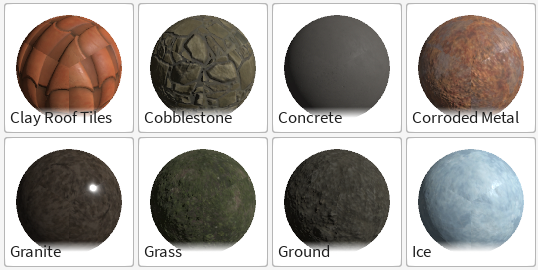
Materials
<img src="https://prod.docsiteassets.roblox.com/assets/studio/terrain-editor/Fill-Region.jpg" alt="Region filled with Salt material" />Salt terrain
<img src="https://prod.docsiteassets.roblox.com/assets/tutorials/building-lesson/Texture-On-Surface.jpg" alt="The same blue texture repeated eight times on a block part." />Hexagon texture on a part
<img src="https://prod.docsiteassets.roblox.com/assets/modeling/solid-modeling/Negate-Result.jpg" alt="Negated part subtracted from cylinder" />Solid modeling union