
Source: Roblox Creator Hub · CC BY 4.0 · View source · Code samples: MIT Imported 2026-10-03. Formatting adapted for this site.
Effects
You can create special effects by parenting special effect objects to other objects or attachments.
Light sources
Light sources let you attach lighting effects to objects or attachments. There are three types of light sources:
A
PointLightemits light spherically from a single point. This object is ideal for non-directional lights like bulbs, torches, and fireballs.A
SpotLightemits light in the shape of a cone with a spherical base. This object is ideal for directional lights like street lamps, flashlights, and headlights.A
SurfaceLightemits light from the face of a BasePart. This object is ideal for lighting from TV or computer screens, billboards, and fluorescent panels.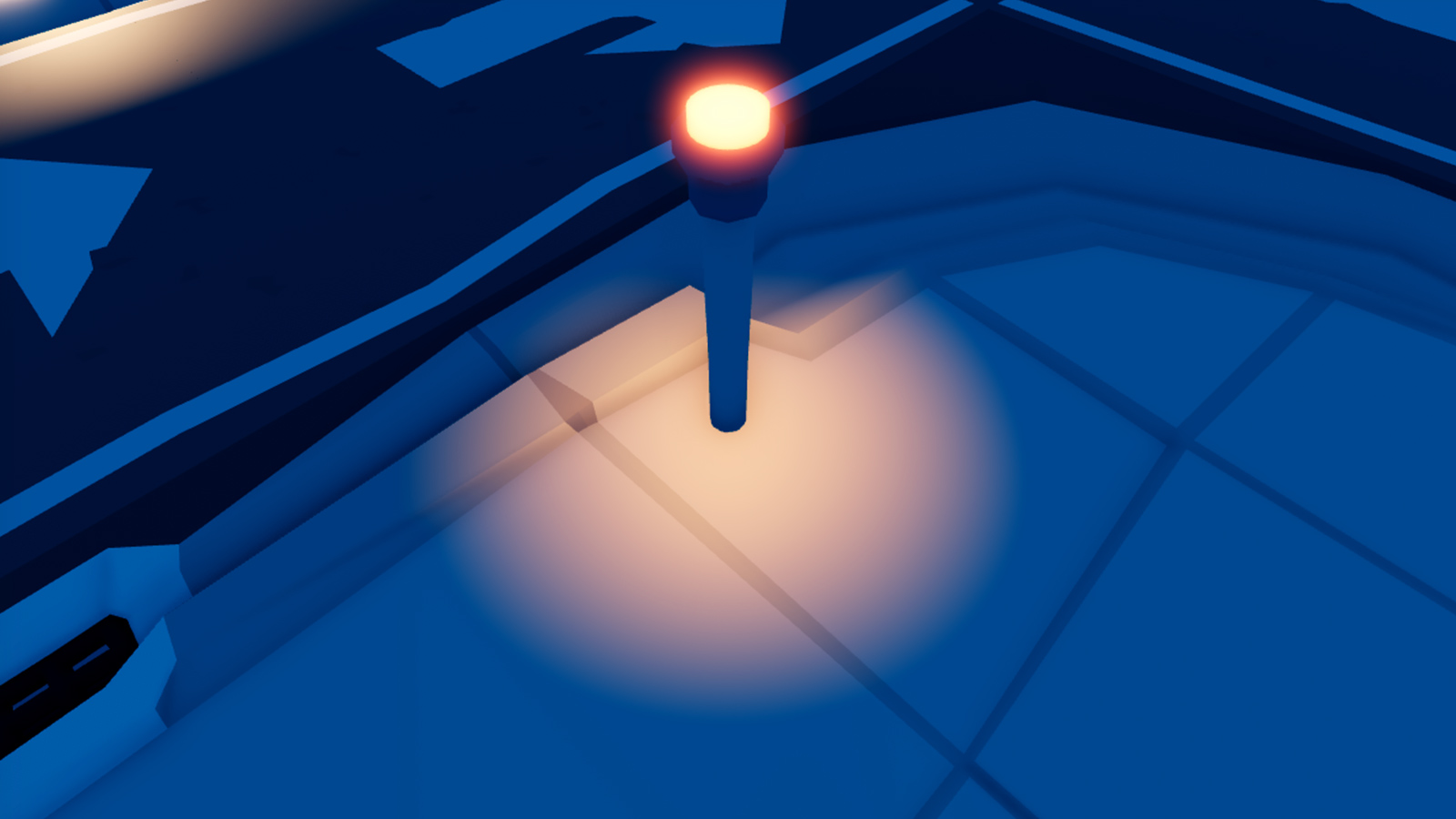
Point lights
<img src="https://prod.docsiteassets.roblox.com/assets/lighting-and-effects/light-sources/SpotLight-Face-Bottom.jpg" alt="" />Spotlights
<img src="https://prod.docsiteassets.roblox.com/assets/lighting-and-effects/light-sources/SurfaceLight-Angle-0.jpg" alt="" />Surface lights
Particle emitters
A particle emitter is an object that emits customizable 2D images (particles) into the world, useful for simulating special effects like fire, smoke, and sparks.
Beams
A beam is an object that renders a texture between two Attachment objects Beam.Attachment0 and Beam.Attachment1. By setting beam properties, you can:
- Add a texture and color gradient to create interesting visuals like waterfalls and force fields.
- Modify a beam's transparency so that it fades over time.
- Warp its shape by changing the width or curve of each attachment point.
Trails
A trail is an object that creates a trail between and behind two Attachment objects as they move through space. Trails can help players visualize movement, such as a sword slashing through the air, projectiles flying to their target, or footprints walking away.
By setting trail properties, you can:
- Add a texture to create interesting visuals.
- Set a constant or gradient color.
- Modify a trail's lifetime.
Highlighting
Highlight is a visual effect which you can use to call attention to a specific object within a game, such as to provide visual feedback that the object is important and/or interactable. See Highlighting Objects for details.
<img src="https://prod.docsiteassets.roblox.com/assets/ui/highlighting-objects/OutlineTransparency-1.jpg" alt="A tree mesh against a grey background." />Base object
<img src="https://prod.docsiteassets.roblox.com/assets/ui/highlighting-objects/Adding-Highlight.jpg" alt="The same tree mesh with a white outline and a red highlight interior." />White outline, 50% red interior
<img src="https://prod.docsiteassets.roblox.com/assets/ui/highlighting-objects/Overview-Yellow-Outline.jpg" alt="The same tree mesh with a yellow outline and a black highlight interior." />Yellow outline, black interior