
Source: Roblox Creator Hub · CC BY 4.0 · View source · Code samples: MIT Imported 2026-10-03. Formatting adapted for this site.
Multiple conditions
Control structures can have more than one condition. The keywords else and elseif can create additional scenarios for what should happen under several conditions. The syntax looks like:
if isGreen then
   print("Go")
elseif isYellow then
   print("Slow")
elseif isPedestrians then
   print("Wait")
else
   print("stop")
end
In this project, else and elseif are used to code a parkour course where runners receive awards depending on their finishing time. 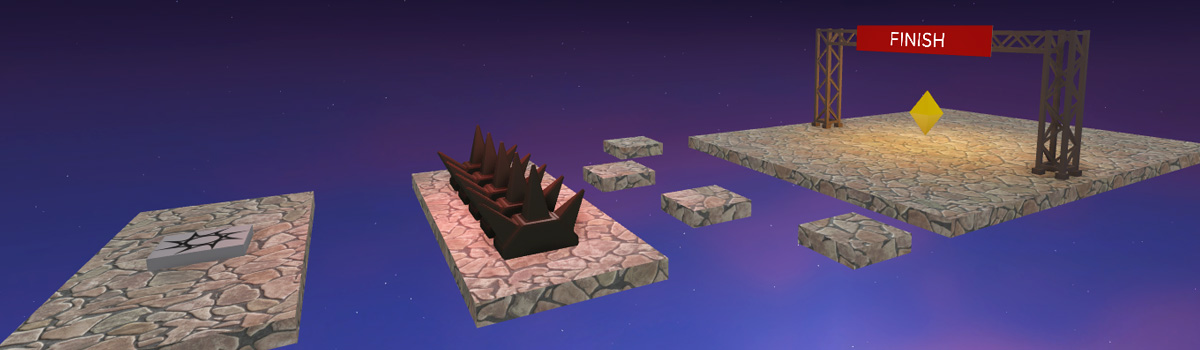
Code multiple conditions
For this project, you could write a unique if statement for each medal to award players, but that takes a lot of time. Take, for instance, the imaginary code below.
if finishTime < 5  then
   -- Get a gold medal
end

if finishTime >= 5 and <= 10 then
   -- Get a silver medal
end

if finishTime > 10 and <= 15 then
   -- Get a bronze medal
end
A more readable and efficient way to code this is to use a single if statement and use the keyword elseif to provide alternative conditions to test if the previous conditions aren't true.
if finishTime < 5  then
   -- Get a gold medal
elseif finishTime >= 5 and <= 10 then
   -- Get a silver medal
elseif finishTime > 10 and <= 15 then
   -- Get a bronze medal
end
When the if/then statement runs, it'll start at the top and only run the code for the first true condition it finds.
Set up the race course
Start by placing the course's starting point and finish line, and then create a script to time the player and award different medals.
Create an anchored part named FinishLine. To make testing faster, place the start and end close together. You can move the finish line after finishing the script.
<img src="https://prod.docsiteassets.roblox.com/assets/education/coding-3/raceCourse_showPartCraeted.jpg" />
Finish Part
<img src="https://prod.docsiteassets.roblox.com/assets/education/coding-3/raceCourse_showDistanceBetween.jpg" />Entire Course
In FinishLine, insert a script named RaceManager. Then, add one variable to store how many seconds have passed since the race started and a second variable to reference FinishLine.
   local finishLine = script.Parent
   local timePassed = 0
Create a function named
finish().local timePassed = 0 local finishLine = script.Parent local function finish() endOn your own:
- Code a function named
partTouched()that runsfinish()when a player touches it. - Connect the finish line part to
partTouched(). - Compare your code to the example below.
local function finish() print("touched the finish line") end local function partTouched(otherPart) local character = otherPart.Parent local humanoid = character:FindFirstChildWhichIsA("Humanoid") if humanoid then finish() end end finishLine.Touched:Connect(partTouched)- Code a function named
Playtest and check that
finish()is called when you touch the finish line.
Keep finish() from repeating
Right now, whenever a player touches the finish line, finish() gets continuously called as long as the player touches the part.
Use a boolean, a variable that stores true or false, to ensure that finish() is only called once.
Create a new variable named
raceActiveand set it totrue.local timePassed = 0 local finishLine = script.Parent local raceActive = true -- Runs whenever the player touches the finish line part local function finish()Add a second condition to the if statement to check if raceActive is true before calling
finish().local function partTouched(otherPart) local character = otherPart.Parent local humanoid = character:FindFirstChildWhichIsA("Humanoid") if humanoid and raceActive == true then finish() end endTo stop
finish()from being called again, setraceActivetofalse.local function finish() print("touched the finish line") raceActive = false endPlaytest your game to check that you only see your test print statement once.
Keep track of time
Like an if statement, a while loop can also use a condition to see if it should run. To time the player, create a timer using a while true do loop that only runs when the raceActive boolean is true.
At the bottom of the script, type
while raceActive == true do. Press Enter to auto-complete and add theend.finishLine.Touched:Connect(partTouched) while raceActive == true do end
Note
Make sure the loop is at the bottom of the script. Even though this while true do loop, eventually stops, it should still stay at the bottom of the script. This ensures that the previous code runs before it reaches the loop.
To time the players, in the loop, add 1 to the
timePassedvariable once every second. Include a print statement to test your work.finishLine.Touched:Connect(partTouched) while raceActive == true do task.wait(1) timePassed += 1 print(timePassed) endPlaytest the game and check that you see each second displayed in the Output window.
Award player medals
To finish, use an if statement with multiple conditions to award players a different prize medal based on their performance. Use an if statement and two elseif statements to check the player's finish time and award them the correct medal.
To confirm each medal can be awarded, use print statements.
local function finish() raceActive = false print("You finished in " .. timePassed) endTo award a gold medal, code an if statement that compares
timePassedto the desired finish time. This example checks if the player's time was less than or equal to 10 seconds.local function finish() raceActive = false print("You finished in " .. timePassed) if timePassed <= 10 then print("You get a gold medal!") end endPlaytest and confirm the gold medal can be awarded.
Add additional conditions
Now that you've tested for the gold medal, code conditions for the other medals using the elseif keyword.
For the silver medal, use
elseifand the next desired time range. In this example, the range is greater than 10 seconds but less than or equal to 20 seconds.local function finish() raceActive = false print("You finished in " .. timePassed) if timePassed <= 10 then print("You get a gold medal!") elseif timePassed > 10 and timePassed <= 20 then print("You get a silver medal!") end endUse the same pattern for the bronze medal. Check your code with the example below.
local function finish() raceActive = false print("You finished in " .. timePassed) if timePassed <= 10 then print("You get a gold medal!") elseif timePassed > 10 and timePassed <= 20 then print("You get a silver medal!") elseif timePassed > 20 and timePassed <= 30 then print("You get a bronze medal!") end endPlaytest for the silver and bronze medals.
Troubleshooting tips
If you don't see the silver and bronze metals appear, try one of the below.
- Each
elseifshould have a then after its condition. - In
partTouched(), make sure the second condition of the if statement uses==, like inraceActive == true. - Check that each
elseifis in scope. Eachelseifcondition must be between the first line of the if/then statement and it's lastend.
Add the else condition
If the player didn't earn any of the medals, you should encourage them to try again. In this case, you can use an else statement, which runs if no other conditions are true, to show them a message.
Note
It's recommended that every if statement has an else, just in case the code doesn't find anything true.
Below the last
elseifand aboveend, start a new line and typeelse. Do not add then. Beneath else, use a print statement to prompt them to try again.local function finish() raceActive = false print("You finished in " .. timePassed) if timePassed <= 10 then print("You get a gold medal!") elseif timePassed > 10 and timePassed <= 20 then print("You get a silver medal!") elseif timePassed > 20 and timePassed <= 30 then print("You get a bronze medal!") else print("Try again!") end end
Note
An `else` statement should always be the **last** check in an a control structure.2 . Playtest to see the else message.
Summary
Control structures can have more than one scenario. Use if statements to set up the initial statement to check, and then add as many elseif conditions as necessary. Finally, use else to state what should happen if all given conditions are false.
Starting at the top, all conditions will be checked, and only the first true condition will run the code. The remaining conditions will not be checked, nor will their code run.
After finishing the project, you can expand upon the script to add new elements in a few extra ways.
- Add code so players can repeat the race by touching the start line when they finish.
- Design a way to display time during a race. You can either display the time on a part using a Surface GUI, like in the Create a Timed Bridge tutorial.
local timePassed = 0
local finishLine = script.Parent
-- Used to keep finish() and timer from repeating when race is over
local raceActive = true
-- Runs when the player touches the finish line and shows them an award
local function finish()
raceActive = false
print("You finished in " .. timePassed)
if timePassed <= 10 then
print("You get a gold medal!")
elseif timePassed > 10 and timePassed <= 20 then
print("You get a silver medal!")
elseif timePassed > 20 and timePassed <= 30 then
print("You get a bronze medal!")
else
print("Try again!")
end
end
-- Checks if a player touches the part when a race is active
local function partTouched(otherPart)
   local character = otherPart.Parent
   local humanoid = character:FindFirstChildWhichIsA("Humanoid")
   if humanoid and raceActive == true then
      finish()
   end

end
finishLine.Touched:Connect(partTouched)
-- Keeps track of race time while the race is active. Needs to be at script bottom.
while raceActive == true do
task.wait(1)
timePassed += 1
print(timePassed)
end