
Source: Roblox Creator Hub · CC BY 4.0 · View source · Code samples: MIT Imported 2026-10-03. Formatting adapted for this site.
Roblox Studio
Roblox Studio is free to use and has everything you need to start publishing creations to hundreds of millions of Roblox users on consoles, desktops, and mobile devices.
Get Studio
Build, script, test, and publish
Access a robust set of building, scripting, testing, and publishing tools directly in Studio.
Easy 3D world building
Drag and drop objects into your workspace, move and rotate to get things just right, and texture and polish your world to get the right look.

Studio tools
An intelligent script editor
Syntax highlighting, code completion, and inline documentation let you script easily.

Script editor
Device emulation and playtesting
Emulate a wide range of screen sizes and form factors to make sure everything looks and feels great before sharing your game with the world.

Studio testing modes
Unleash the power of the Roblox engine
Roblox Studio comes bundled with the powerful Roblox engine that runs anywhere with endless customization.
Engine API
Experience Guides
A standard and flexible data model
Data models tell the engine how to render and simulate your games. Studio can manipulate data models at both edit and runtime, allowing you to create and iterate freely.

Data model
Out-of-the-box primitives and services
Construct 3d worlds that closely simulate real life with out-of-the-box primitives like simple 3D objects, physical constraints, and services for lighting, sound, and more. Choose what Roblox provides by default or customize behavior with property overrides and scripting.

See all guides
AI tools to accelerate creation
Assistant lets you focus on creativity by using AI to automate mundane tasks, manipulate the data model, generate materials and textures, and more.
Let Assistant take action
Ask questions and get answers, or let Assistant update the data model directly. Assistant can add objects in bulk, modify scripts in place, optimize code, and much more.

Assistant
Generate materials and textures
Bring your games to life with custom materials and textures for your 3D objects.

Material generator
Texture generator
Rig and cage avatars
Import character models and let Studio automatically rig and cage them to support layered accessories.

Avatar Setup tool
Collaborative at its core
Studio lets you collaboratively create in real time, with small or large teams alike.
Learn how to scale
Learn how to monetize
Real-time team creation
Build and script collaboratively in Studio. Watch your teammates' creations come to life before your eyes.
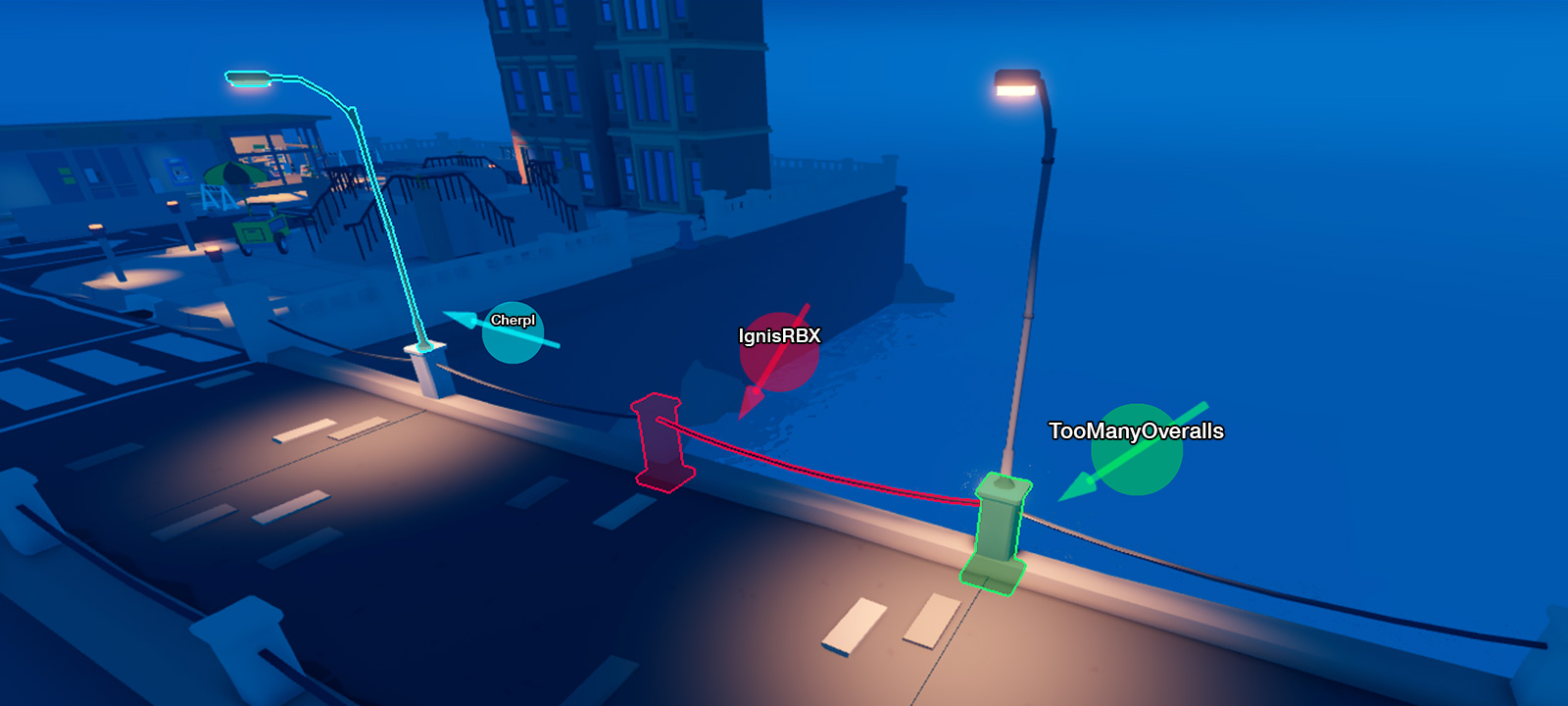
Studio collaboration
Group-based access
Control access to your creations and control how multiple team members work on the same games, use the same assets, and share profits.

Groups
Share and access millions of assets
You can create and access millions of freely available models, meshes images, sounds, and videos in the Creator Store.

Assets