
Source: Roblox Creator Hub · CC BY 4.0 · View source · Code samples: MIT Imported 2026-10-03. Formatting adapted for this site.
Sell items
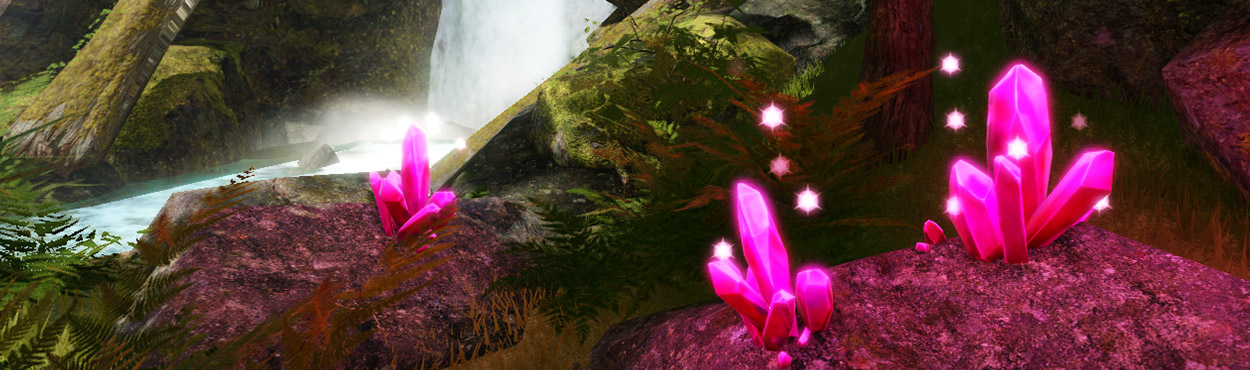
For the next stage of the game loop, players need to sell their items for gold to allow them to purchase more space in their backpacks.
Create a sell platform
Players will sell their items by stepping onto a platform that gives them gold for each item in their bag.
Set up the platform
The platform can be any part and will include a script that handles selling.
Create a new part named SellPlatform. Customize it to fit the theme of your game.

In SellPlatform, create a new script named SellScript and add a comment.

In SellScript, type
local sellPart = script.Parentto get the SellPlatform part.-- Sells all a player's items and gives them gold local sellPart = script.Parent
Handle touch events
To use the platform, the script needs a function to check if any players touch it.
Create a function named
onTouch()that checks if a player is touching the platform.local function onTouch(partTouched) local character = partTouched.Parent endTo change any of the stats on the leaderboard, the script needs to know what player is controlling the character. In the if statement, use the
GetPlayerFromCharacter()function to find a player.local Players = game:GetService("Players") local player = Players:GetPlayerFromCharacter(character)On the next line, get that player's leaderstats container.
local Players = game:GetService("Players") local player = Players:GetPlayerFromCharacter(character) if player then -- Gets the player's leaderboard. Needed to get items and money local playerStats = player:FindFirstChild("leaderstats") endOn the next line, create variables to get the player's money and items.
local Players = game:GetService("Players")

local player = Players:GetPlayerFromCharacter(character)

if player then
    -- Gets the player's leaderboard. Needed to get items and money
    local playerStats = player:FindFirstChild("leaderstats")

    if playerStats then
        -- Gets the player's items and money
        local playerItems = playerStats:FindFirstChild("Items")
        local playerGold = playerStats:FindFirstChild("Gold")
    end
end
Note
Make sure the names of everything in FindFirstChild() is exactly like the names written in the PlayerSetup script. For example, if your money is "Rubies" in PlayerSetup, playerGold should look for "Rubies" instead of "Gold".
To check your work, add a print statement that will run if a player touched sellPart.
local playerItems = playerStats:FindFirstChild("Items")
local playerGold = playerStats:FindFirstChild("Gold")
print("A player touched sellPart")
At the bottom of the script, connect the
onTouch()to sellPart's Touched event.local Players = game:GetService("Players") local function onTouch(partTouched) local character = partTouched.Parent local player = Players:GetPlayerFromCharacter(character) if player then -- Gets the player's leaderboard. Needed to get items and money local playerStats = player:FindFirstChild("leaderstats") if playerStats then -- Gets the player's items and money local playerItems = playerStats:FindFirstChild("Items") local playerGold = playerStats:FindFirstChild("Gold") print("A player touched sellPart") end end end sellPart.Touched:Connect(onTouch)Play your project and step on sellPart; you should see the message
"A Player touched sellPart"in the Output window.
Sell items
In this game, a player will get 100 Gold for each item. After getting money, their items will be set back to 0, letting players explore the world for more items.
Code a new sell function
Under the variables, create a function named
sellItems()that gets two parameters namedplayerItemsandplayerGold.-- Sells all a player's items and gives them gold local sellPart = script.Parent local function sellItems(playerItems, playerGold) end local function onTouch(partTouched)To give players the right amount of gold, take the value of the
playerItemsand multiply it by the amount of gold they should receive per item. This example gives one hundred gold pieces per item.In the
sellItems()function, typelocal totalSell = playerItems.Value * 100local function sellItems(playerItems, playerGold) -- Gets how many items the player has and multiplies that by item worth. local totalSell = playerItems.Value * 100 endType
playerGold.Value += totalSellto add the gold for the items to their current gold.local function sellItems(playerItems, playerGold) local totalSell = playerItems.Value * 100 -- Add how much the player earns to their money playerGold.Value += totalSell endType
playerItems.Value = 0. This sets a player's items back to 0. If a player's items aren't set back to 0, the script will keep giving players gold without stopping.local function sellItems(playerItems, playerGold) local totalSell = playerItems.Value * 100 playerGold.Value += totalSell playerItems.Value = 0 endIn the
onTouch()function, under the second if statement, call thesellItems()function. Pass in the parameters,playerItemsandplayerGoldso they can be changed.local Players = game:GetService("Players") local player = Players:GetPlayerFromCharacter(character) if player then -- Gets the player's leaderboard. Needed to get items and money local playerStats = player:FindFirstChild("leaderstats") if playerStats then -- Gets the player's items and money local playerItems = playerStats:FindFirstChild("Items") local playerGold = playerStats:FindFirstChild("Gold") if playerItems and playerGold then sellItems(playerItems, playerGold) end end endPlay your project; check that whenever a player steps on the platform, their gold increases and items are set to 0.
Troubleshooting Tips
At this point, selling items doesn't work as intended, try one of the following below.
sellItems()is called in the second if statement that checks the player's items.- Any IntValue, like playerItems, uses .Value at the end if you're making a change to it. Value is always capitalized.
sellPart.Touched:Connect(onTouch)is typed at the bottom of the script.sellItems(playerItems, playerGold)is typed before the end of the if humanoid then statement.