
Source: Roblox Creator Hub · CC BY 4.0 · View source · Code samples: MIT Imported 2026-10-03. Formatting adapted for this site.
Pivot tools
The pivot tools and related properties give you full control over the points around which objects rotate and translate.
Interactive Studio tools
The interactive Studio tools are located in the Model tab toolbar.

When Pivot is toggled on, you can move or rotate the pivot point of a part or model. Once set, rotation and scaling occur around the pivot point. For more information, see setting a primary part.
The following diagrams show example pivot locations in relation to object bounds.
Center
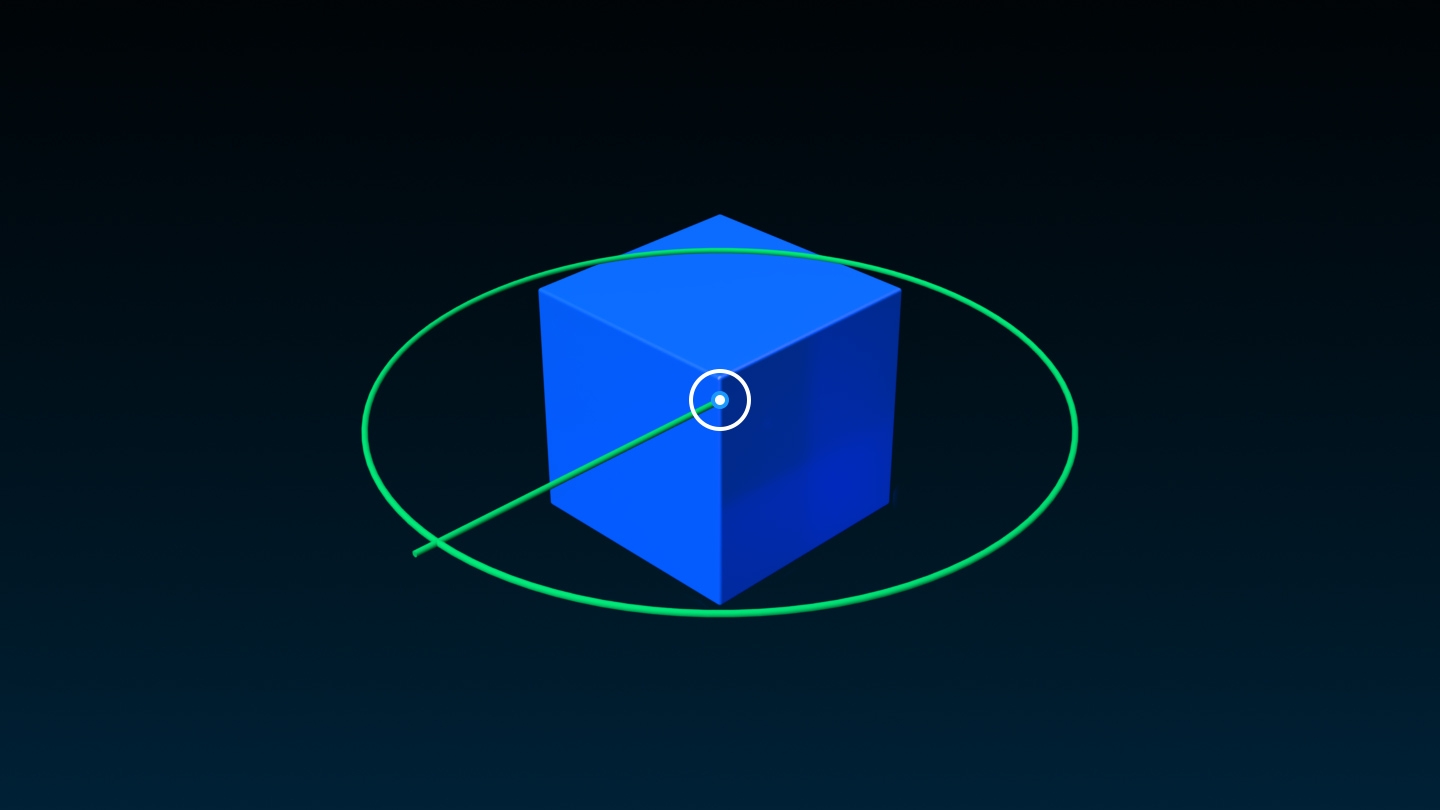
Corner

Outside Object Bounds

When you rotate the pivot of a model, the bounding box of the model also rotates.
Orientation = (0, 90, 0)
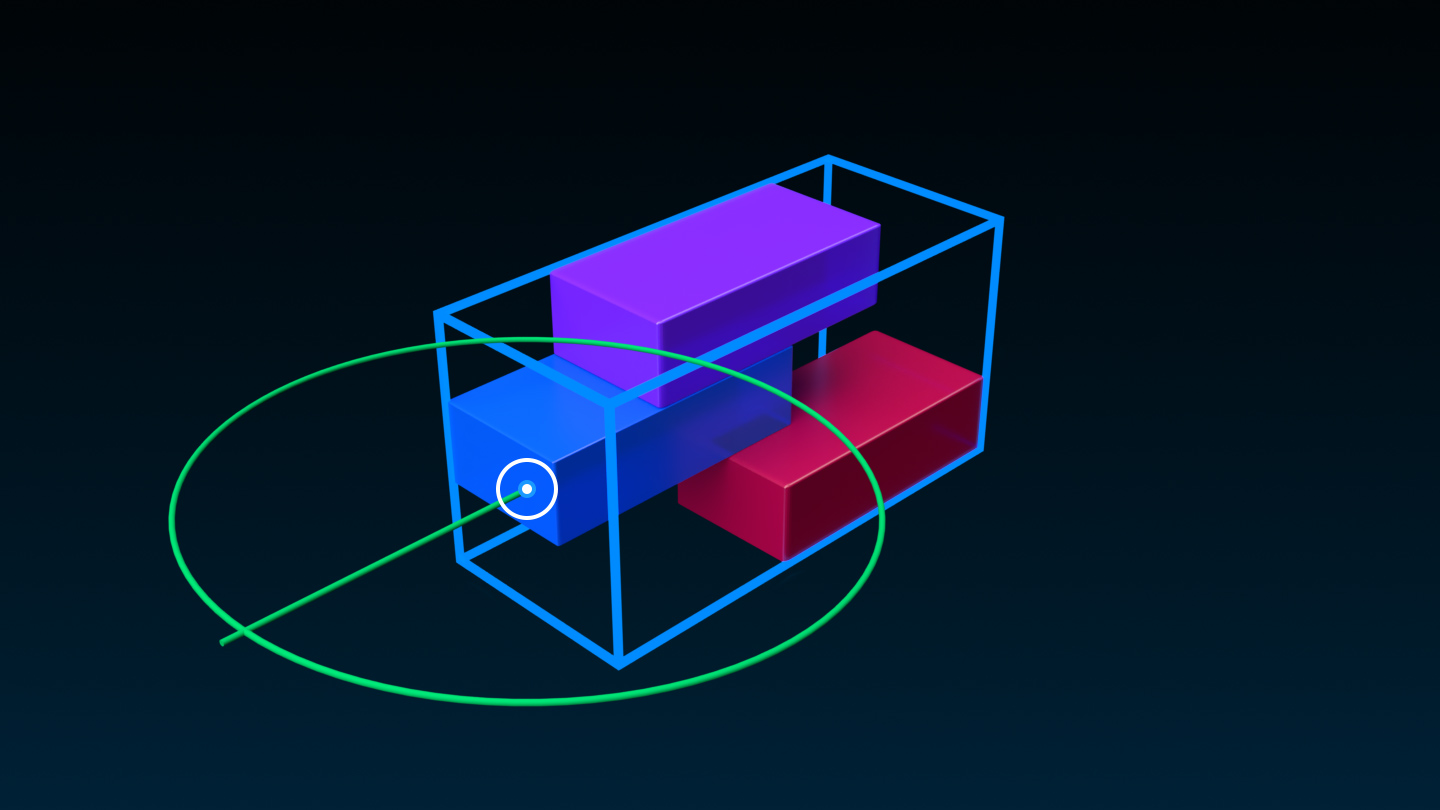
Orientation = (0, 135, 0)

Orientation = (0, 180, 0)

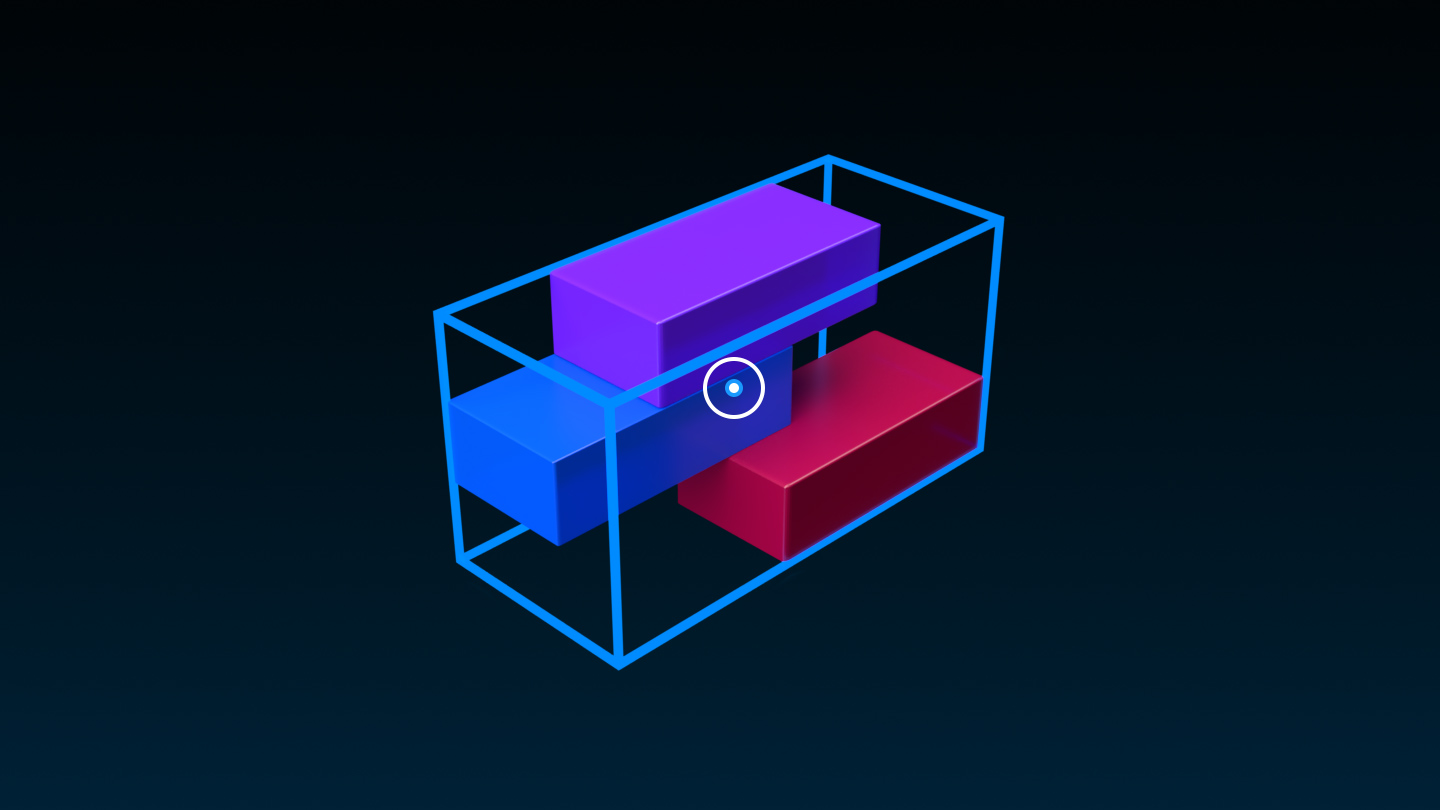
You can specify a PrimaryPart for models, which is a BasePart within the model that you can use as a positional basis. In terms of pivot points:
- When you assign a [`PrimaryPart`](/docs/model#model-primarypart) to a model, the existing pivot changes to the pivot point of the [`PrimaryPart`](/docs/model#model-primarypart). If you later unassign/clear the [`PrimaryPart`](/docs/model#model-primarypart), the pivot point resets to the **center** of the model's bounding box.
- If you **delete** the [`PrimaryPart`](/docs/model#model-primarypart) from a model, the pivot point remains in the same location and does **not** revert to its previous position. This prevents a sudden "jump" if you delete any parts from the model.
Initial Pivot Point
A. PrimaryPart Assigned

B. PrimaryPart Deleted

Snap
The Snap checkbox, available by click‑holding the small corner arrow on the Pivot button, toggles whether the pivot point snaps to hotspots such as corners, edges, or centers when you move it with the Edit Pivot tool. When snapping is enabled, hotspots display as small magenta points.
<img src="https://prod.docsiteassets.roblox.com/assets/studio/pivot-tools/Hotspots-Part.jpg" />Hotspots on a part
<img src="https://prod.docsiteassets.roblox.com/assets/studio/pivot-tools/Hotspots-Model.jpg" />Hotspots on a model
Reset
The Reset button moves the pivot point to the center of an object or model's bounding box. This operation is useful after you've changed the composition of a model and wish to place its pivot point at the center of its new bounding box.

Pivot properties
In addition to the interactive tools, pivot values can be directly set in the Properties window.
| Property | Description |
|---|---|
| **Origin Position** | Current world location of the object based on its pivot point rather than its bounding box. Useful for setting the precise location of a [`Model`](/docs/model). |
| **Origin Orientation** | Current orientation of the object based around its pivot point rather than its bounding box. |
| **Pivot Offset Position** | Precise location of the pivot relative to the object.¹ |
| **Pivot Offset Orientation** | Precise pivot orientation.¹ |
| **World Pivot Position** | The precise world location of the pivot for [`Models`](/docs/model) without a [`PrimaryPart`](/docs/model#model-primarypart). If a [`PrimaryPart`](/docs/model#model-primarypart) is set, the model will use **Pivot Offset Position** since the pivot becomes relative to that part.¹ |
| **World Pivot Orientation** | The precise world orientation for [`Models`](/docs/model) without a [`PrimaryPart`](/docs/model#model-primarypart). If a [`PrimaryPart`](/docs/model#model-primarypart) is set, the model will use **Pivot Offset Orientation** since the pivot becomes relative to that part.¹ |
1 Changing this property will not move or rotate the object.
Manipulate pivots in scripts
Beyond the Studio tools, pivot points can be accessed and manipulated in scripts.
| Function or Property | Description |
|---|---|
| [`GetPivot()`](/docs/pvinstance#pvinstance-getpivot) | Queries the current world location of an object's pivot as a [`CFrame`](/docs/cframe). This returns an object's position in 3D space regardless of whether it's an individual part or a [`Model`](/docs/model). |
| [`PivotTo()`](/docs/pvinstance#pvinstance-pivotto) | Moves the object such that its pivot will be located at the specified [`CFrame`](/docs/cframe). This allows for uniform object movement of both individual parts and models. |
| [`BasePart.PivotOffset`](/docs/basepart#basepart-pivotoffset) | The [`CFrame`](/docs/cframe) which specifies the pivot offset; effectively the offset of the pivot from the [`CFrame`](/docs/cframe) of the [`BasePart`](/docs/basepart).² |
| [`Model.WorldPivot`](/docs/basepart#basepart-pivotoffset) | For [`Models`](/docs/model) without a [`PrimaryPart`](/docs/model#model-primarypart), the [`CFrame`](/docs/cframe) which specifies the model's pivot in world space. If a [`PrimaryPart`](/docs/model#model-primarypart) is set, the model will use [`BasePart.PivotOffset`](/docs/basepart#basepart-pivotoffset) since the pivot becomes relative to that part.² |
2 Changing this property will not move or rotate the object.