
Source: Roblox Creator Hub · CC BY 4.0 · View source · Code samples: MIT Imported 2026-10-03. Formatting adapted for this site.
Icons
A high-quality icon, in addition to a showcase thumbnail, is an important factor in helping users recognize your game and grow its brand. With prominent placement in various sections of the Home page, it's recommended that the icon expresses the theme, tone, and/or genre of the game.

Urban action game
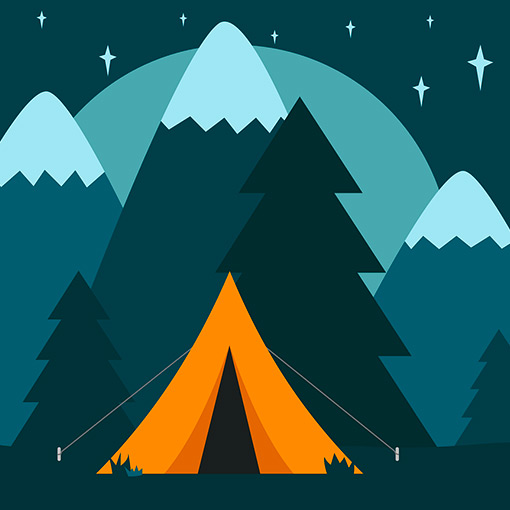
Camping simulation
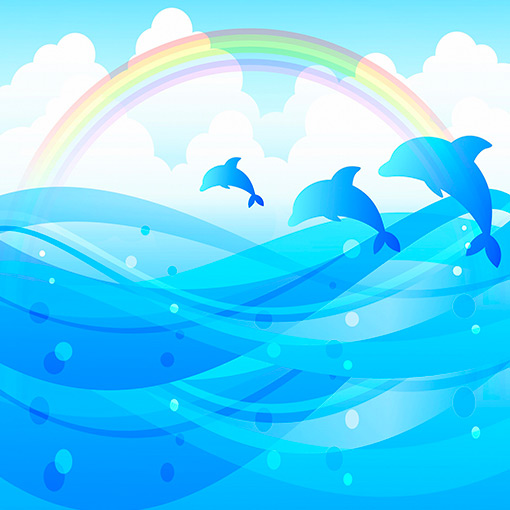
Peaceful ocean theme
When you publish a game for the first time, an icon is automatically generated from a collection of default images. While you can only display one icon per locale, you can also include supplementary image and video thumbnails that further promote the game.
For more information on maximizing the impact of your game's icon, see best practices.
Upload icons
To ensure your game's icon always displays in high resolution and with an ideal aspect ratio, use a template of 512×512 pixels. In some places on the Roblox site and app, icons scale down to smaller sizes like 150×150 pixels, so it's recommended that you preview an icon at smaller sizes to confirm its details remain clear. In addition, see best practices for tips on icon format and design.
To upload a game icon:
Navigate to the Creator Dashboard.
Click on the game you want to upload an icon for. The game's Overview page displays.
In the left-hand navigation, under Configure, select Places.
Click the start place marked with a star icon (if the game contains only one place, it will be the only option). The place's Basic Settings page displays.

In the place's left-hand navigation menu, select Icon.
Set the media type to Image and click the Change button. Then, from the file browser, select and confirm the image you want to use as the icon. Note that all icon images must pass moderation before they appear to others on the Roblox platform.
If the preview icon appears as you expect, click Save Changes.
Best practices
To create the most positive impact for users looking to play your game, consider the following best practices.
Quality and aspect ratio
When you upload an icon image, it should be square and at least 512×512 pixels so that it always displays in high resolution and at an ideal aspect ratio across the Roblox site and app.
<img src="https://prod.docsiteassets.roblox.com/assets/publishing/experience-metadata/Icon-High-Res.jpg" alt="High quality and sharp icon" />Note
High quality and sharp
<img src="https://prod.docsiteassets.roblox.com/assets/publishing/experience-metadata/Icon-Low-Res.jpg" alt="Low quality and blurry icon example" />Note
Low quality and blurry
<img src="https://prod.docsiteassets.roblox.com/assets/publishing/experience-metadata/Icon-Not-Square.jpg" alt="Non-square icon" />Note
Not a square image
Relevant content
An icon will have a higher impact if it's unique and provides relevant imagery on what users should expect when they join the game. Icons with ambiguous graphics may lead to unnecessary confusion.
<img src="https://prod.docsiteassets.roblox.com/assets/publishing/experience-metadata/Icon-Theme-Park.jpg" alt="Icon expressing a fun theme park setting" />Note
Icon expresses a fun theme park setting
<img src="https://prod.docsiteassets.roblox.com/assets/publishing/experience-metadata/Icon-Default.jpg" alt="Default Roblox icon which does not match the same theme" />Note
Default icon does not match the same theme
<img src="https://prod.docsiteassets.roblox.com/assets/publishing/experience-metadata/Icon-Theme-Park-Symbol.jpg" alt="Icon with ambiguous graphic in top-right corner" />Note
Ambiguous graphic in top‑right corner
Color and contrast
You can express your game's theme through color and contrast to help users decide if it's suitable and appealing to them.
<img src="https://prod.docsiteassets.roblox.com/assets/publishing/experience-metadata/Icon-Colorization-A.jpg" alt="Icon with bright, high-saturation colors for a fantasy or dreamy setting" />Bright, high-saturation colors for a fantasy or dreamy setting
<img src="https://prod.docsiteassets.roblox.com/assets/publishing/experience-metadata/Icon-Colorization-B.jpg" alt="Icon with muted low-saturation colors for a somber, moody setting" />Muted low-saturation colors for a somber, moody setting
<img src="https://prod.docsiteassets.roblox.com/assets/publishing/experience-metadata/Icon-Colorization-C.jpg" alt="Icon with heavy color balance and contrast for a horror game" />Heavy color balance and contrast for a horror game