
Source: Roblox Creator Hub · CC BY 4.0 · View source · Code samples: MIT Imported 2026-10-03. Formatting adapted for this site.
Finish the project
Congrats! You've just created a multiplayer battle royale! Over this series, you have:
- Created modular scripts that handled different game functions like teleporting players.
- Learned how to code custom events for the start and end of matches
- Used arrays to manage players as they join, win, or leave games.
But, your game is almost ready for others to play. Attract players to your game by making your arena unique and creating an eye-catching thumbnail.
Optional improvements
Below are a few ways of improving your game.
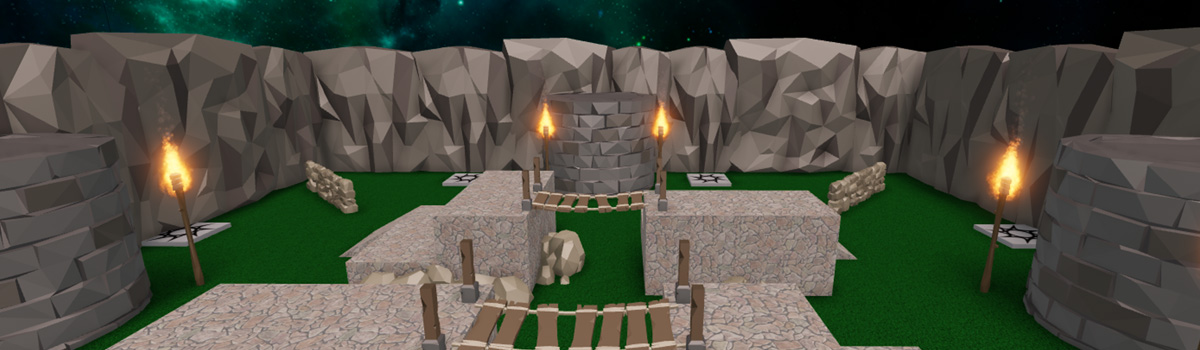
Improve map visuals
Having a visually interesting map sets a strong first impression for your game, encouraging people to start playing. Take some time to turn your graybox level into a real map.
Remember writing a description of the setting for your game at the start of this series? As you build, ensure your map has a clear setting. For inspiration, below are some example maps built by Roblox developers.
<img src="https://prod.docsiteassets.roblox.com/assets/education/battle-royale-series/playerShowcase_luxeyes.jpg" />Map by Luxeyes
<img src="https://prod.docsiteassets.roblox.com/assets/education/battle-royale-series/playerShowcase_Jandel.jpg" />Map by Janedel
You can either build in Studio, or use premade assets. Below are some suggested assets uploaded by Roblox that can be used to build an environment. Each pack includes high quality, fully textured models.
Changing the Forcefield
During a game, you may have noticed a force field when players respawn. Change how long the force field lasts in the SpawnLocation properties.
- Click on the relevant Spawn Location.
- In Properties > Forcefield, change the Duration value.
Playtest and confirm variables
Successful games on Roblox are playtested frequently to ensure the gameplay is fun and fair.
Playtest your game with peers and check for the following:
- Does the duration of a match feel right? Do matches end too quickly without a winning player, or take too long?
- Does the size of the map feel right? Are there any areas that feel too empty? Will it take a long time to run into another player?
Test, evaluate, and modify variables to improve gameplay. Some examples:
- Change
GameSettings.matchDurationto make matches longer in a larger map. - Make the intermission duration longer if players feel it's too sudden.
Make the lobby social
Popular games in Roblox often add mini-games to encourage players to have fun and be social while they wait for an intermission. This can include putting in sphere parts with physics so players can play, or even mini-obstacle courses.
Optional challenges
Many Roblox games continue to get updates even after they release. Below are some optional challenges that can add new features for your project.
Traps
Make maps more challenging by adding traps or obstacles that damage players. Learn more in Creating Traps.
Tracking score
Create a leaderboard that tracks how many times someone wins a round. Code one using this article on Leaderboards.
Powerups
Create scripted parts that make changes like modify a player's speed or tool's attack power. Remember, after the end of a match, use the resetMatch() to recreate the set of powerups. For reference, learn more in the Powerups tutorial.
Add more arenas
Build out more arenas with different settings and code a randomized map selection. Whenever players start a match, a module script named MapManager will pick a random map, and then assign players to those spawn locations as needed. Check the code box below if you need hints or to see one implementation.
--[[
Setup Notes:
1. In Workspace, create a folder named Maps. Store all parts of a map in individual folders.
2. For each individual map, include a folder named SpawnLocations
3. When starting a match, use pickNewMap() to get a random map. When assigning player spawn points, use
	GetSpawnLocations() to get a table with all locations.
]]

local MapManager = {}

local mapsFolder = workspace.Maps
-- Stores all maps that can be rotated between
local availableMaps = mapsFolder:GetChildren()

-- Stores the current map in play
local activeMap

-- Used to get random maps.
local randomGenerator = Random.new()

-- Gets a random map from the available maps table
function MapManager.pickNewMap()
	local whichMapKey = randomGenerator:NextInteger(1, #availableMaps)
	activeMap = availableMaps[whichMapKey]
	print("New map: " .. activeMap.Name)
end

-- returns a table with the maps current spawn points
function MapManager.getSpawnLocations()
	local spawnPoints = activeMap:FindFirstChild("SpawnLocations")
	local availableSpawnPoints = spawnPoints:GetChildren()
	return availableSpawnPoints
end

return MapManager