
Source: Roblox Creator Hub · CC BY 4.0 · View source · Code samples: MIT Imported 2026-10-03. Formatting adapted for this site.
Roblox Studio basics
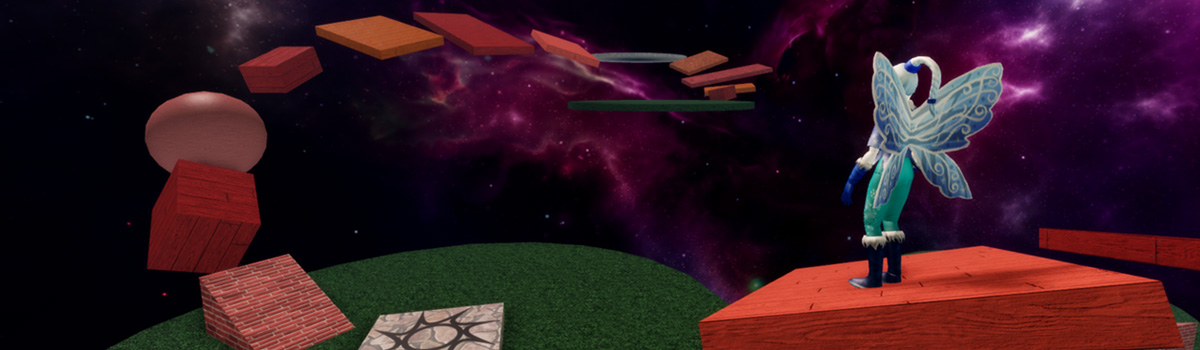
Lesson description: Introduce students to the course and projects they'll be working on. Then, develop foundational skills such as manipulating parts and creating scripts by creating a simple obstacle course. Once these skills are mastered, students can go on to code an adventure game in later sessions.
| Lesson objectives |
|
| Skills and concepts |
|
| Prep |
|
| Materials |
|
Overview
| Duration | Activity | Description |
|---|---|---|
| 5 min | Introduction | Introduce the project and lesson structure. |
| 5 min | Guided Tutorial: Roblox Studio Basics | Teach the basics of using Roblox Studio while building a simple obstacle course. |
| 15 min | Guided Tutorial: Guided Tutorial | Introduce coding by creating a script that displays text. |
| 5 min | Wrap-up | Reflect on project and recap concepts learned. |
Lesson plan
Introduction
Grab student attention by playing an example of the finished adventure game. This is an example of the type of project they'll have by the end of the course.
- Explain the game: Players explore a world to collect items and upgrade their backpack.
- Call out that students will create and customize the game to their own vision (e.g. collecting cupcakes in a fantasy world or harvesting iron on the moon).
Outline the sessions in the course
- First two sessions focus on developing skills in game design and coding by making practice projects. This will include building an obstacle course.
- Will spend rest of sessions developing an adventure game
Point out for this session or day, students will be learning the basics of Roblox Studio by building an obstacle course.
- Note the obstacle course is practice, but the can include parts of it in their adventure game if desired.
Guided tutorial - Roblox Studio basics
Lead students through the following tutorial: Introduction to Roblox Studio.
As you teach, keep in mind the following:
- Remind students to rotate their camera view to get an accurate view of their project.
- Encourage students to use the Explorer, a foundational skill in Roblox Studio.
Guided tutorial - Create scripts
- Lead students through the Create a script tutorial.
Wrap up
- Recap what students have created and vocabulary learned: variable and string.
Appendix
Troubleshooting tips
General troubleshooting
- If parts fall or disappear when playtesting, remind students to turn Anchoring on for that part.
- The most common errors for students at this age are improper capitalization and typos. Encourage students to independently check their work, rather than rely on teachers.
Classroom management
- Introduce students to "Ask 3 Before Me": a student needs to ask three peers before asking the instructor for help.
- Keep in mind students have different prior experience with computers. Emphasize exact steps when teaching, such as when to double-click or right-click.
- Keep your lessons on time by setting strict limits for accomplishing tasks, such as allowing only a minute to add a single part or to pick a color. To build troubleshooting skills, ask students leading questions rather than solving the issue for them as much as possible. For example: What symbols need to be around a string? - A quotation marks.